How do you choose sales call recording software?
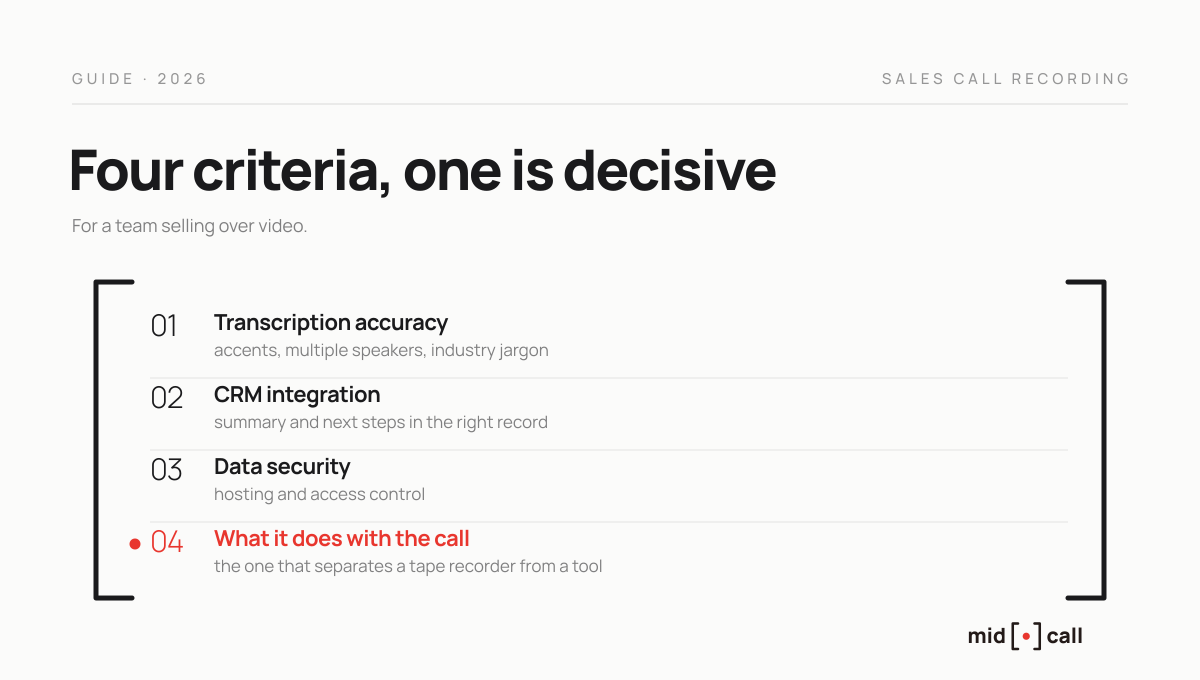
Sales call recording software comes down to four criteria, transcription accuracy, how deeply it integrates with your CRM, data security, and what it lets you do with the call once it is captured.
That last one is now the only criterion that truly matters, because every tool records, and the battle has moved to analysis. Here is how to choose, and why the moment that analysis happens changes everything.
How do you choose sales call recording software?
On four criteria, in this order of importance for a team selling over video.
Transcription accuracy first, because a shaky transcript makes everything downstream useless. Accents, multiple speakers and industry jargon are where tools genuinely separate.
CRM integration depth next. A recording that lives in a separate library is worth less than a summary that flows automatically into the right HubSpot or Salesforce record, with next steps attached. Sync removes manual entry, which is the first place a tool gets abandoned.
Data security next, hosting and access control, with European processing a reassurance for buyers sensitive to data residency.
And fourth, what the tool does with the call once recorded. That is what separates a tape recorder from a tool that moves a team forward, and it is where the rest of this article lives.
Is recording still enough in 2026?
No, and it is the biggest shift in this category. Five years ago, recording your calls was an edge. Today every tool does it, capture has become a commodity, and the value has moved entirely to what you extract from the conversation.
The real problem for teams is not a shortage of recordings, it is that nobody replays them. A library of several hundred calls produces no value if the summaries sit in a dashboard the manager never opens. So the real subject is analysis, its depth and its accessibility, not capture.
That is why lists of tools lining up recording features all look the same and do not help you choose. The right question is not which tool records best, it is which tool best turns the conversation into measurable progress for your reps.
Which tools for which team size?
The market runs from a free notetaker for a solo consultant to an enterprise platform. Prices checked August 2026, confirm before signing.
| Tool | Who it fits | Reference price |
|---|---|---|
| Fathom | Solo, freelance, very small team | Free with unlimited recordings, then from $16 per month |
| Otter | Cross-team meeting archives | Free capped at 300 minutes, then from $8 per seat |
| Fireflies | Small team that wants CRM sync | Free, then $10 per seat per month |
| Claap | Team of 2 to 20 reps | Free on Basic, then €24 per licence |
| Modjo | Structured European team | On quote, around €99 per user |
| Gong | Organisation of 25 reps and up | On quote, platform fee on top |
One thing links Fathom, Otter and Fireflies, their own comparisons describe them as built to help after the meeting, not during it. That holds for the whole category, and it is exactly what sets it apart from live analysis.
What is the difference between recording and analysing?
Recording captures the conversation, analysis makes it usable. They are two distinct steps, and the second is where the value is created.
Pure recording software gives you the audio and its transcript. Sales analysis software adds call scoring, objection detection, buying-signal tracking, talk-time statistics and manager coaching. Most serious 2026 platforms, Gong, Modjo, Claap, do both, and in fact sell on the analysis far more than on the capture.
But they all share one invisible trait that decides their real usefulness, the moment that analysis happens.
When does the analysis actually happen?
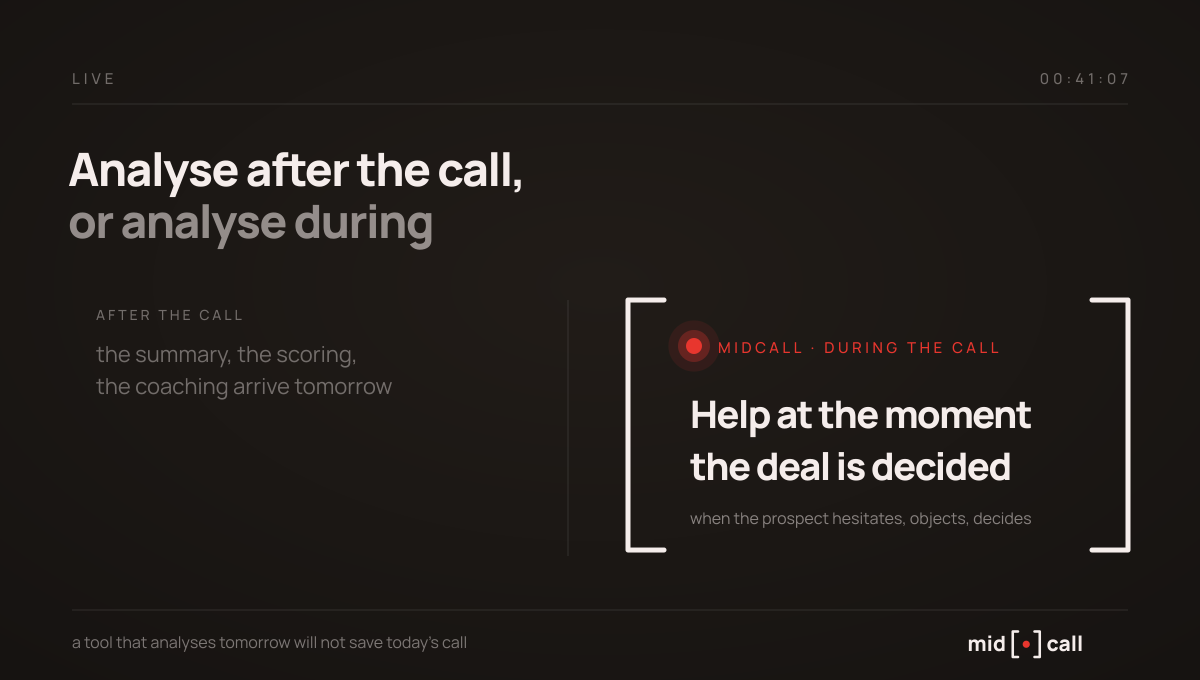
After the call, in almost every case. It is the point these comparisons never mention, and it is the most decisive one.
Recording happens during, but the payoff comes after. The summary, the scoring, the objection detection, the manager's coaching, all of it happens once the call is over. That mechanic is perfect for improving the next call. It never helps the one being played out.
And it is during the call that the deal is decided. When the prospect says the price is too high, when they say they need to think about it, when they ask the question your rep has no immediate answer for. At that exact moment, a tool that will analyse the call tomorrow morning is no help at all.
Live analysis, the category recording does not cover
There is another way to make use of a sales call, analysing it while it happens. That is the slot Midcall fills, and it complements recording tools rather than competing with them.
Our extension reads the conversation live on Google Meet, Teams and Zoom. It tells a smokescreen from a real objection, prompts the question to ask one line at a time, tracks qualification against the framework your team runs, SPIN, SPICED, BANT, MEDDIC, MEDDPIC or Challenger, and puts all of it inside the call window at the moment it helps. The guidance is personalised per rep and sharpens call after call as it adapts to each person's style.
After the call, Midcall produces its own analysis too, a score out of 100 by skill and by dimension, each score justified by the exact sentences spoken and paired with what it would have taken to reach 100, along with the objections raised, the next steps and talk time. For a sales leader, that replaces hours of listening back with an objective read of each rep.
On recording itself, the position deserves detail, because it differs by mode. In direct use through the extension, no recording is created at all: the audio is transcribed on the fly then discarded, and only the text is kept. In meeting-assistant mode, the Midcall bot joins the call and a recording does exist, but it is captured by our provider Recall.ai on their infrastructure, where it is deleted automatically no later than five days after the meeting. Midcall keeps no copy of it. That mode is what enables the integration with a tool like Claap, Modjo or Gong, which the recording is passed to, sparing you two bots in one meeting. How long it lives in that tool is then down to your settings with that vendor. On the CRM side, everything flows into HubSpot, Salesforce or Attio.
This live help is not just for weaker reps. It protects two different situations. A junior rep instantly has the reflexes their experienced colleagues took months to build, the right follow-up question, the right way to handle a price objection, the buying signal they would have missed. And a seasoned rep running five or six demos in a day watches their attention erode on the last ones, the calls where a deal is lost to fatigue rather than to a skill gap. A prompt surfaced at the right moment saves that call. Post-call analysis would only have confirmed the loss the next morning.
One point of honesty. Midcall is a young product and I will not promise you a percentage of deals saved that we do not yet measure. The complementarity, though, is mechanical. The recording tool improves your reps over time, live analysis helps them win today's call.
How do you choose for your team?
| Your main need | What you want |
|---|---|
| Replay and train on past calls | Recording software with reliable transcription |
| Analyse deeply after the call | A sales analysis platform, Gong, Modjo or Claap by size |
| Help your reps during the call | A live analysis layer, alongside recording |
| Avoid double data entry | Automatic CRM sync of summary and next steps |
Recording is the layer that works after the call. To see how it fits with the content that comes before and the help that happens during, our guide to AI sales enablement lays out the three layers.
Edward, co-founder of Midcall. Former AE, co-founder of Meteor, a B2B prospecting agency. I write about what actually happens on sales calls, and what the best teams do with it.
Frequently asked questions
What is the best sales call recording software?
There is no single answer, it depends on what you want to do with the call. For deep post-call analysis, Gong, Modjo and Claap cover the need by team size. For help during the call, you need a live analysis layer that sits outside the recording category. The deciding criterion is not capture, which every tool does, but what you extract.
Do you need to record a call to analyse it?
Not necessarily. Post-call analysis relies on the recording or its transcript, but live analysis happens during the call from the conversation itself, without depending on a stored recording. The two are complementary, one works on the past, the other on the present.
Does recording software sync with your CRM?
The best do. Automatic sync of the summary and next steps into HubSpot, Salesforce or other CRMs is a major selection criterion, because it removes manual entry. Without it, the tool documents your calls but leaves data entry to your reps, which always ends up abandoned.
What is the difference between recording and conversation intelligence?
Recording captures and stores the audio. Conversation intelligence adds transcription, scoring, objection and buying-signal detection, and coaching. In practice, the platforms sold as recording software in 2026 are almost all conversation intelligence tools, and they differ on the depth of analysis rather than on capture.
See the live AI coach on one of your calls.
15 minutes. We plug Midcall into a real scenario from your team, you decide.